How to Choose the Right CRM for Your Industry: A 2026 Guide
Learn how to choose the right CRM for your industry in 2026. Compare features, costs, and key factors to find the best fit for your business.
- 1What is CRM Software, Really?
- 2What "Right for Your Industry" Really Means
- 3Market Insight: What the Data Actually Shows
- 4The Core Evaluation Framework
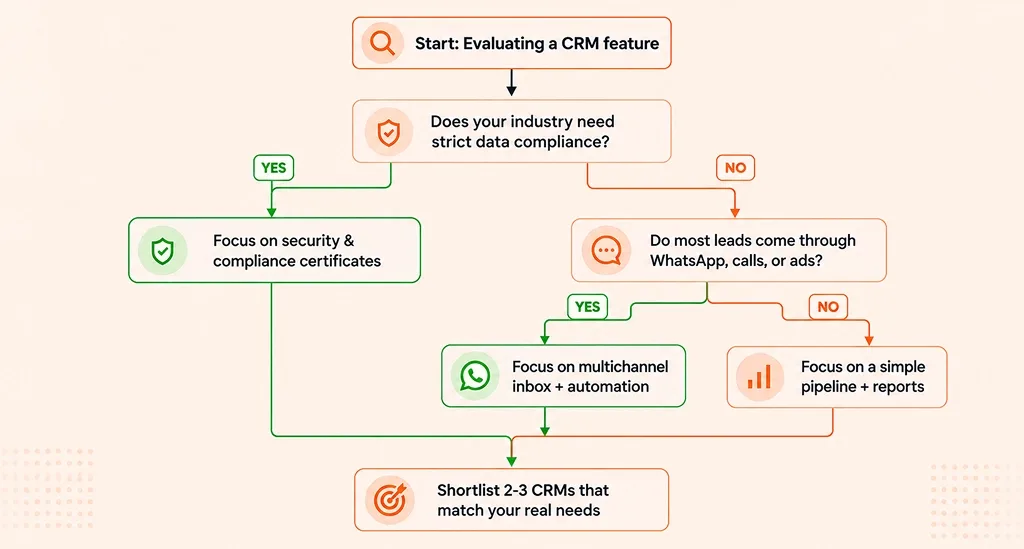
- Flowchart: Do You Actually Need This Feature?
- 5Industry-by-Industry: What Actually Matters
- 6Founder's Insight: How Real Founders Chose Their CRM
- 7Red Flags: Signs a CRM Won't Fit Your Industry
- Flowchart: Spotting a Bad Fit Before You Sign
- 8A Simple Decision Checklist Before You Sign Up
- 9How AiEngage CRM Can Be the Right Fit for Your Industry
- 10FAQs
- Question: Is a generic CRM enough for my industry?
- Question: Do I need an industry-specific CRM or just customizable fields?
- Question: What's the real cost of switching CRMs?
- Question: How long does CRM implementation take?
- Question: Can a small team really benefit from a CRM, or is it just for large companies?
Here's a number that should make you pause: 55% of CRM implementations fail.
Not because the software was bad, but because someone picked the wrong one for their business.
Rohit Malhotra found this out the hard way. He runs a real estate startup. After raising his first round of funding, he hired eight sales reps and rolled out "the CRM everyone recommended", the one every blog called the best.
Three months later, his team was still following up on WhatsApp by hand. The software was built for cold-calling, not for buyers who wanted quick replies on WhatsApp. The CRM wasn't bad. It just wasn't built for his industry.
Rohit isn't alone. Talk to almost any business owner who switched CRMs in the last two years, and you'll hear some version of the same story: a shiny setup call, a long list of features, and then months of the team quietly going back to WhatsApp and spreadsheets because the "best" CRM didn't match how they actually worked.
That's the mistake this guide will help you avoid. This isn't another "top 10 CRM" list. It's a simple, practical guide on how to choose CRM software that actually fits your industry, your sales cycle, your customers' favorite channel, and your team's daily routine.
Think of this as your CRM buying guide for 2026.
What is CRM Software, Really?
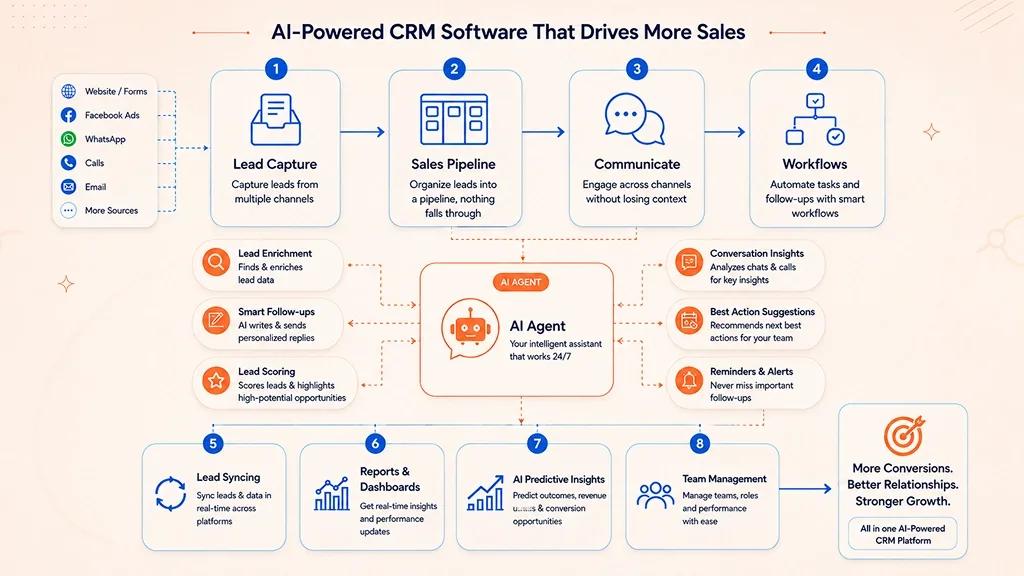
In simple words, CRM (Customer Relationship Management) software is a tool that remembers every customer conversation, so your team doesn't have to.
A good CRM does five basic things:
Captures leads from every source: forms, ads, WhatsApp, calls, walk-ins
Organizes them into a pipeline so no lead is forgotten
Communicates across channels without losing context
Automates repetitive follow-ups
Reports on what's working, so you don't have to guess
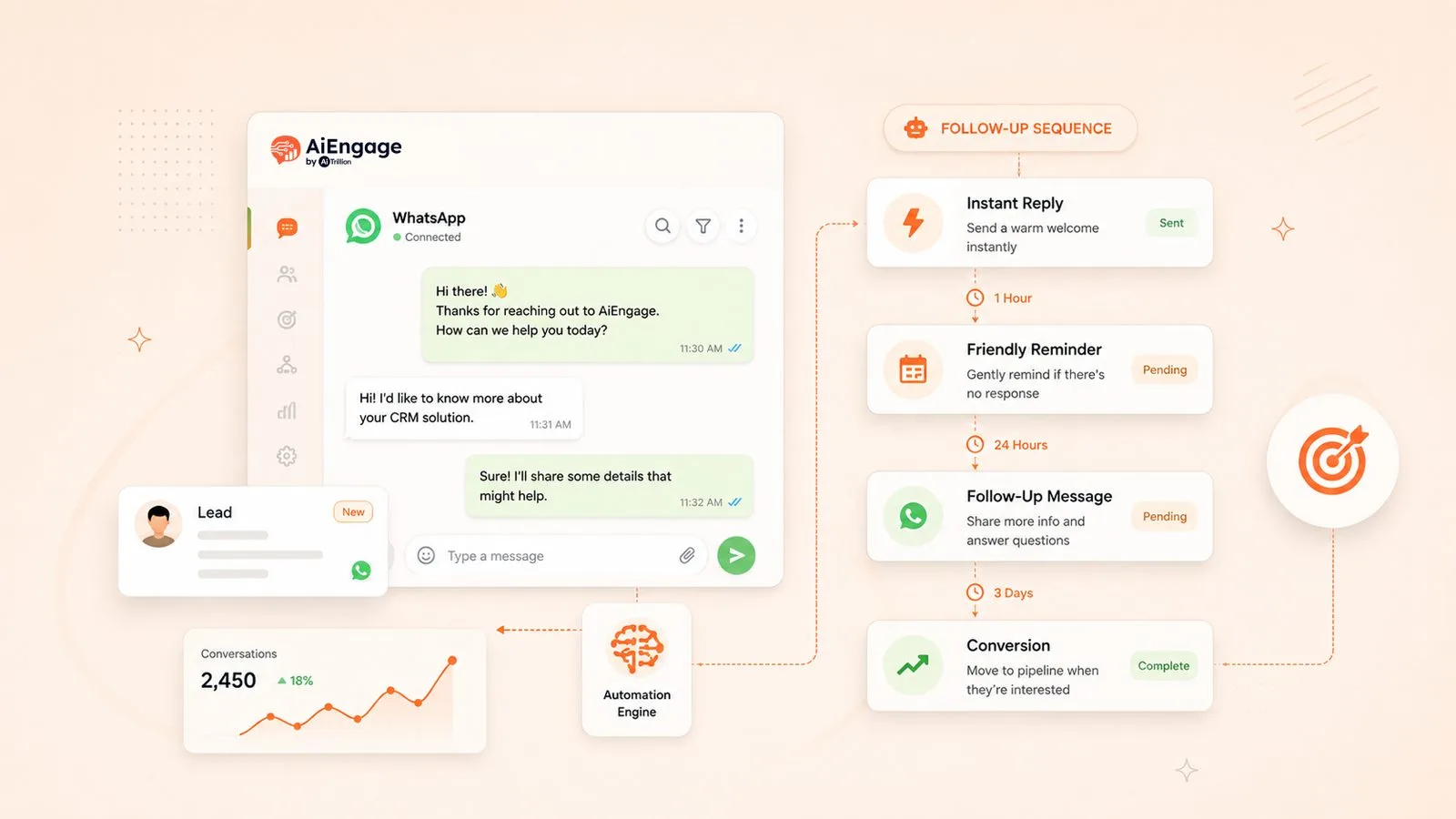
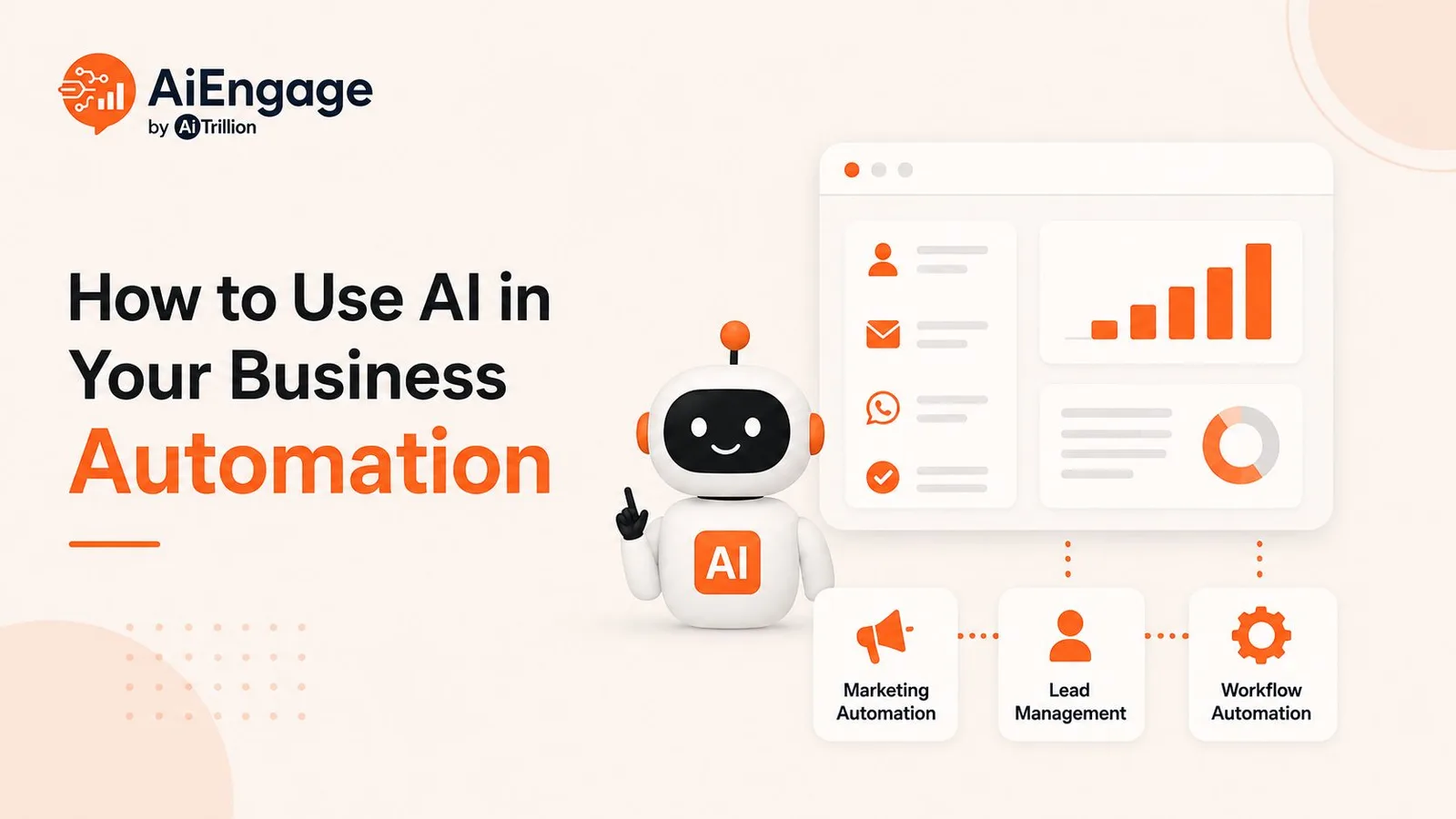
In 2026, CRMs do even more. With AI built in, a CRM can now reply to a WhatsApp lead at midnight, summarize a sales call in three lines, and remind a rep the moment a hot lead goes quiet. This shift matters because it changes how to choose CRM software in the first place; you're not just picking a contact list anymore; you're picking a digital teammate.
A few years ago, most small businesses could get by with a spreadsheet and a lot of discipline. That's harder now. Customers reach out on more channels, expect faster replies, and compare you to competitors who already use automation.
A CRM isn't just a "nice to have" tool for big companies anymore; it's quickly becoming the baseline for staying competitive, no matter your industry.
If you're exploring different tools for your business, check out our guide to Best CRM Software to compare popular CRM platforms and find one that fits your team's needs, workflow, and budget.
What "Right for Your Industry" Really Means
Every industry sells differently. A CRM that ignores this will always feel like a bad fit. Before you compare any software, ask:
How long is your sales cycle: minutes, weeks, or months?
Where do your leads come from: WhatsApp, calls, referrals, ads?
Do you have compliance needs, like healthcare or finance?
How big is your team, and how comfortable are they with new tools?
These four questions alone will rule out most CRMs before you even look at pricing.
Market Insight: What the Data Actually Shows
Instead of just saying "the CRM market is growing," here's the actual data, from two trusted sources.
What We Looked At | What the Data Shows |
|---|---|
Global CRM market size (2026) | Projected at $126.17 billion, growing to $320.99 billion by 2034 — Source: Fortune Business Insights |
CRM software revenue & spend (2026) | Forecast to reach $103.51 billion in 2026, growing at 6.16% a year to $139.56 billion by 2031, average spend per employee is projected at $27.66 — Source: Statista Market Insights |
Two things stand out here.
Insight #1: CRM is now the biggest category in business software, bigger than the entire ERP market was five years ago. That means there's a CRM built for almost every industry today. The hard part isn't finding one. It's ignoring the ones that don't fit you.
Insight #2: Look at how steady the growth is, over 6% every year, with businesses spending more per employee on CRM, not less. That's not a market slowing down. It's a market where "we'll figure it out with spreadsheets" is quietly becoming the more expensive option, not the cheaper one.
The Core Evaluation Framework
Use this as your simple CRM checklist for small business, or any business.
What to Check | Why It Matters | Warning Sign |
|---|---|---|
Multi-channel lead capture | Leads come from WhatsApp, ads, forms, calls | Leads get lost between tools |
Custom pipelines & fields | Every industry sells differently | You're forced to adapt to the software |
Automation | Follow-ups shouldn't be manual | Reps waste hours on repeat tasks |
AI features | Saves time on scoring and replies | Team drowns in unsorted leads |
Integrations | Should connect to ads, payments, other tools | Data stays stuck in silos |
Security & compliance | A must for healthcare and finance | Legal and trust risk |
Clear pricing | Growth shouldn't come with surprise costs | Budget shocks later |
Flowchart: Do You Actually Need This Feature?
Industry-by-Industry: What Actually Matters
Here's what "the right CRM" looks like in real life, industry by industry.
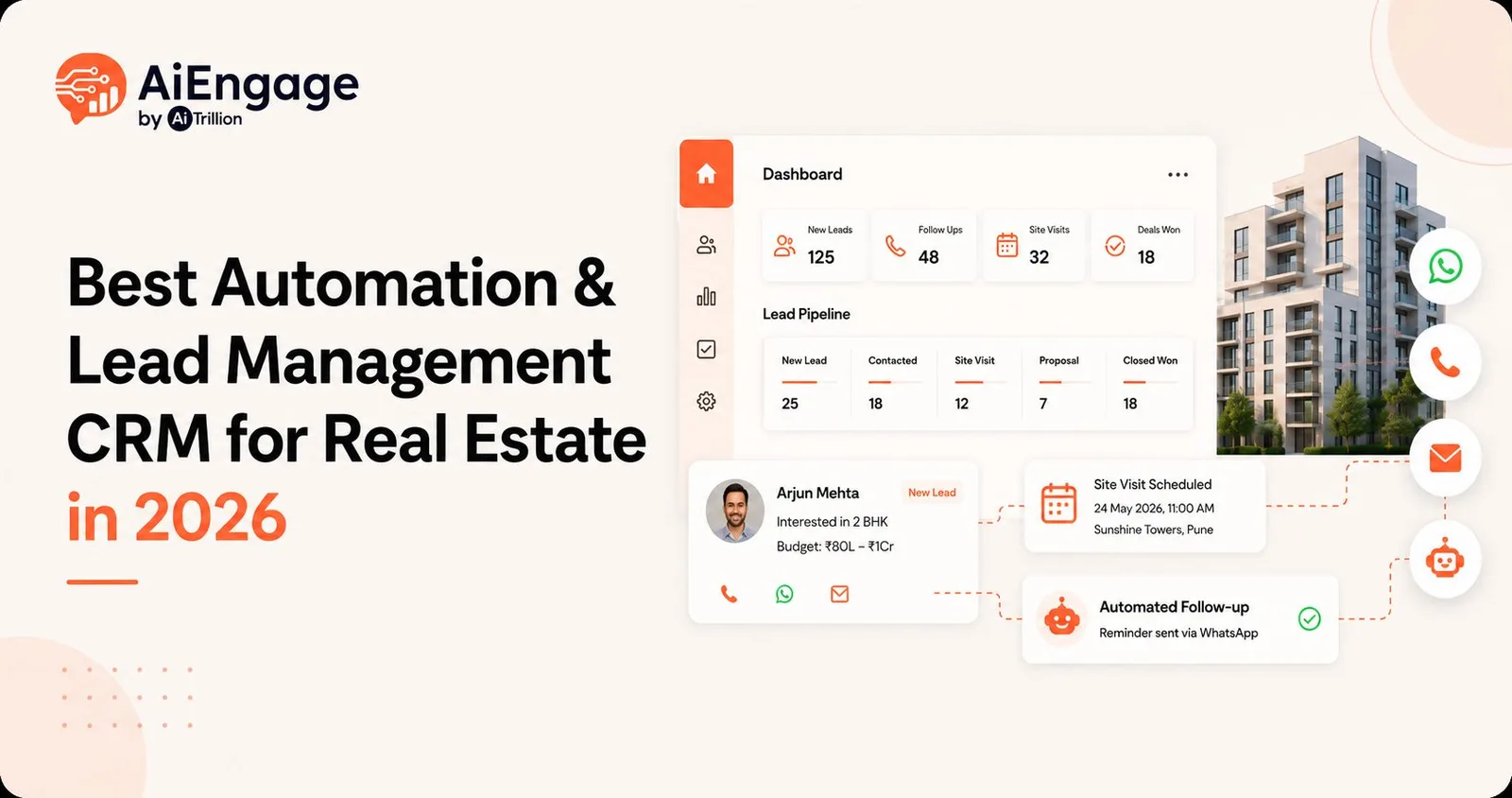
Real Estate: A broker gets forty WhatsApp inquiries a day. The right CRM replies instantly, tracks the quote, and reminds someone to follow up before the buyer moves on. If you want a live example, then you must check the Real Estate CRM to see an industry-specific pipeline in action.
Real estate teams have different CRM needs, from tracking property inquiries to managing site visits and closing deals. If you work in real estate, explore our guide to the best CRM for real estate teams to find the features that support your sales process.Healthcare: The real problem isn't leads; it's no-shows and messy records. Here, the CRM that wins is the one that automates appointment reminders and keeps patient data secure.
Education: Admission season brings a flood of parent inquiries, then silence. The right CRM sends bulk, personal messages and stays patient through a decision that takes weeks.
Finance: Sales cycles stretch across months, with paperwork at every step. A good CRM here treats document tracking and compliance as core features, not extras.
IT & Technology: Buyers are technical, and deals take time. The right CRM tracks detailed deal stages and connects deeply with the tools your team already uses.
For Shopify app developers and partner agencies, comparing the best CRM for Shopify apps and partner agencies can help identify tools suited to managing merchant relationships, leads, and follow-ups.Tours & Travel: Demand spikes come fast, across many channels at once. Speed wins here; the CRM that replies fastest and keeps bookings and payments in one place converts the most.
Manufacturing & B2B: Deals often involve multiple decision-makers and long negotiation over pricing and specs. The right CRM here tracks every stakeholder in a deal and keeps quotes, samples, and follow-ups organized across a slower, more complex cycle.
Founder's Insight: How Real Founders Chose Their CRM
Suresh Iyer, who runs a real estate agency, kept it simple: "Can my whole team see the same customer story without switching tabs?" That one question ruled out every CRM that looked good in a demo but broke down across a real team.
"Before this, every rep had their own version of a client's story; one had the WhatsApp chat, another had the call notes, nobody had the full picture. The moment we picked a CRM where everyone saw the same timeline, our follow-ups stopped feeling random."
— Suresh Iyer, Founder, Real Estate Agency
Karthik Rao, who leads growth at a D2C brand, cared about one thing only: WhatsApp. His team kept hitting blocked numbers with clunky bulk-messaging tools. So his search began and ended with one question: does this CRM treat WhatsApp as a real channel, not an afterthought?
"We tried three different tools before this one, and every single one made WhatsApp feel like a workaround, not a real feature. Numbers getting blocked mid-campaign was our breaking point. The right CRM should treat WhatsApp like a first-class channel, not a plugin."
— Karthik Rao, Growth Lead, D2C Brand
Neither founder started with a long feature list. They started with their biggest daily headache, which is exactly how your CRM checklist for small business should start too.
Red Flags: Signs a CRM Won't Fit Your Industry
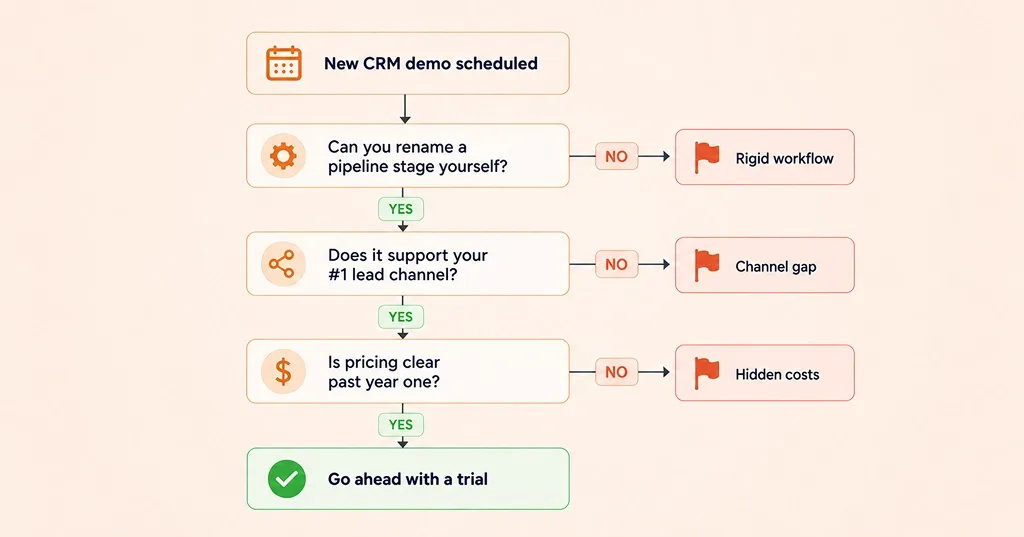
A few warning signs are easy to miss in a demo but show up fast once you're using the tool daily:
You can't rename or reorder pipeline stages yourself. That means you'll adjust your process to fit the software, not the other way around.
Your main lead channel (WhatsApp, calls) isn't built in. Treating it as an "integration" instead of a core feature slows your team down.
The mobile app feels like an afterthought. If your team is often on the move, a weak app quietly kills daily use.
Automation or AI is locked behind a costly higher plan. Read the pricing page closely before you commit.
There's no clear answer on data security. This matters even more in healthcare or finance.
Flowchart: Spotting a Bad Fit Before You Sign
A Simple Decision Checklist Before You Sign Up
Question | Yes | No |
|---|---|---|
Does it match my industry's sales cycle? | ☐ | ☐ |
Does it support my main lead channel? | ☐ | ☐ |
Can my team learn it in a week? | ☐ | ☐ |
Is AI-automation included, not an add-on? | ☐ | ☐ |
Is pricing clear as I grow? | ☐ | ☐ |
If more than one answer is "No," keep looking. This checklist alone can shortcut most of your CRM buying guide research.
How AiEngage CRM Can Be the Right Fit for Your Industry
No CRM is "the best" for everyone. The real question is: does it bend around your sales process, or make you bend around it?
That's what AiEngage CRM is built for. A real estate team can track site visits and quotes. A healthcare clinic can track consultations and follow-ups. Same platform, different rhythm, no developer needed.
For industries where WhatsApp is the sales conversation - real estate, education, travel - our team has seen how an AI Agent replying inside WhatsApp turns a cold lead into a booked meeting. For longer, compliance-heavy sales cycles in finance and IT, custom fields and access controls do the same job without any code.
We've seen enough businesses go through what Rohit went through - the wrong CRM, the wasted months - that we built AiEngage around one simple idea: it should feel invisible, not like extra work.
Want to see it in action? Book a free demo and walk through your real sales process with us, no script, no pressure.
FAQs
Question: Is a generic CRM enough for my industry?
Answer: Sometimes, if your sales cycle is short and simple. But once you have compliance needs or a favorite channel like WhatsApp, a generic CRM starts to show its limits.
Question: Do I need an industry-specific CRM or just customizable fields?
Answer: Usually just customization. A flexible platform can serve most industries without needing a niche tool.
Question: What's the real cost of switching CRMs?
Answer: Beyond the subscription fee, factor in time spent moving data, training your team, and a short dip in follow-up speed. This is why choosing right the first time matters more than choosing cheap.
Question: How long does CRM implementation take?
Answer: Most small and mid-sized teams can go live in one to two weeks, longer if you're migrating data from spreadsheets or multiple old tools.
Question: Can a small team really benefit from a CRM, or is it just for large companies?
Answer: Small teams often see the biggest impact. With fewer people to cover every lead, a CRM that automates follow-ups and reminders can make a two-person sales team feel like a much bigger one, without adding headcount.

I help businesses simplify marketing, sales, and customer support through AI and automation. At AiEngage CRM, we bring lead management, WhatsApp, calling, email campaigns, meetings, and support into one connected platform. Our vision is to help businesses run smarter with AI, empowering teams to streamline everyday work, strengthen customer relationships, and drive sustainable growth.