


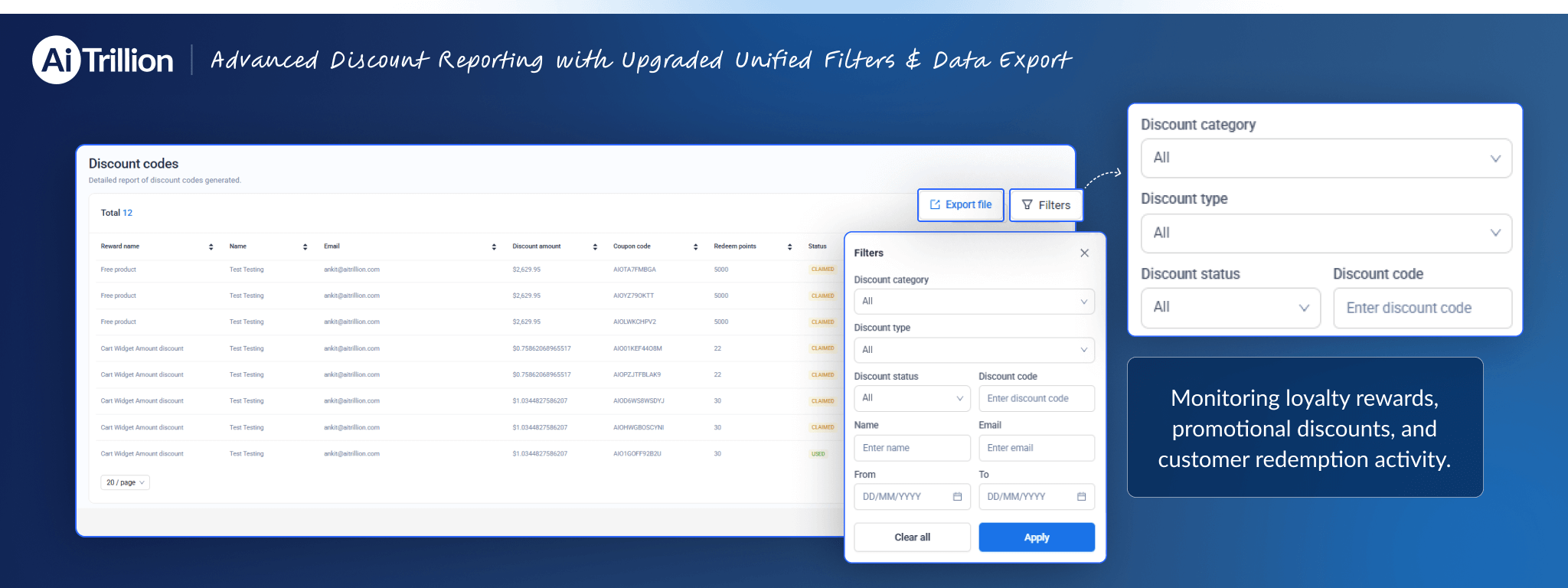
We’re excited to announce an improvement to the Discount Code Reporting section to make tracking and managing discount data more efficient and user-friendly.
🔍 Advanced Filters Now Available
You can now filter discount reports using multiple parameters, including:
- Discount category
- Discount type
- Discount status
- Discount code
- Customer name
- Customer email
- Date range (From – To)
📤 New Export Option Now Available
An Export File option is now available, enabling you to download filtered discount reports for:
- Internal analysis
- Sharing with your team
- Record-keeping and reporting purposes
This gives you greater control and precision when reviewing discount performance and customer usage.
✅ 1. Centralized Reporting – With a unified filter, all discount-related data can now be managed from one place, reducing confusion and saving time.
✅ 2. Faster Data Analysis – Advanced filters allow you to quickly narrow down results by category, type, status, customer details, or date range — helping you find exactly what you need in seconds.
✅ 3. Improved Accuracy – Precise filtering reduces manual searching and minimizes reporting errors.
✅ 4. Better Campaign Insights – Easily track which discount codes are performing well and analyze customer usage trends for smarter promotional decisions.
✅ 5. Easy Data Export – Download filtered reports instantly for internal analysis, team sharing, audits, or record-keeping.
✅ 6. Increased Operational Efficiency – Less manual work and faster access to data mean improved productivity for your team.
Overall, this update makes discount tracking more structured, efficient, and data-driven.
