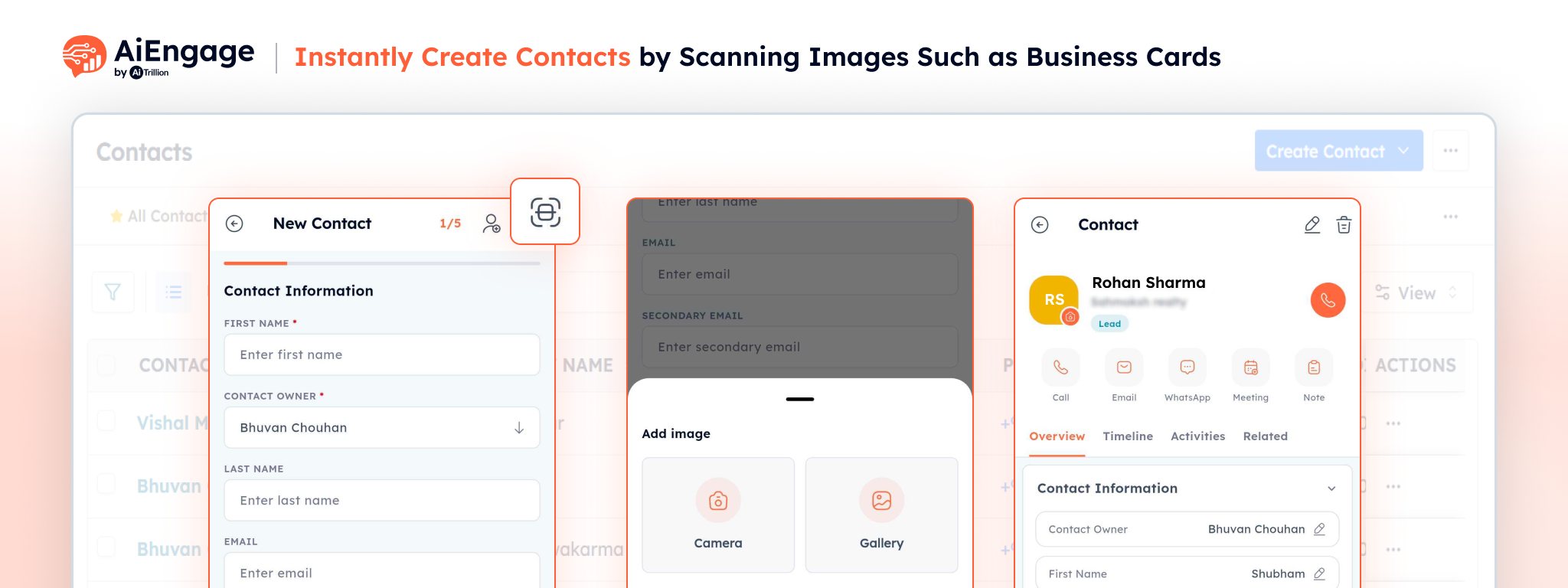
Adding new contacts is now faster than ever.
We’re excited to introduce Create Contact by Scanning Image, a new feature that lets you instantly create CRM contacts by scanning a business card or uploading an image. AiEngage automatically extracts the contact details and fills in the relevant fields, eliminating manual data entry and helping your team save valuable time.
🚀 Key Benefits
- Create contacts in seconds using scanned images.
- Save time by automatically capturing contact information.
- Minimize manual typing and reduce data entry errors.
- Quickly add leads collected during meetings, events, or networking sessions.
- Keep your CRM updated with accurate customer information.
- Improve team productivity with a faster contact creation process.
❤️ Why You’ll Love It
No more manually typing information from business cards or contact images. Simply scan, review, and save. Create Contact by Scanning Image makes it easy to capture new leads wherever you meet them, ensuring every valuable contact is added to your CRM quickly and accurately.
Use Case
Imagine you’re attending a trade show, networking event, or customer meeting and collecting multiple business cards throughout the day. Instead of manually entering each contact into your CRM later, simply scan the business card or upload its image. AiEngage automatically extracts the contact details, allowing you to create a new contact in seconds. This helps your sales and support teams save time, reduce manual errors, and start following up with prospects immediately while keeping your CRM accurate and up to date.
For more details on enabling and using this feature, visit our Help Center or contact our support team.